
Moderation lists
Standard, Advanced, and Image moderation rely on a variety of signals to perform their functions. Standard moderation is the most explicit, as it requires a customer-provided keyword list to determine which content to block or allow. Advanced and Image moderation are backed by pre-trained AI models and can operate out of the box without additional configuration. However, it is recommended that customers adjust and tune these services based on their specific use cases and product verticals.
For example, a customer in the sports retail industry that offers personalization may need to prevent shoppers from using the names of sports teams, while the same names would be acceptable and treated as false positives in other industries.
Both Standard and Advanced services manage customer-specific lists similarly, with a few minor differences.
The Standard moderation services allows to define:
-
Up to three block lists
-
One allow list
The Advanced moderation service, both text and image-based moderation, allow to define:
-
One additional custom block list
-
One allow list
Uploading custom lists
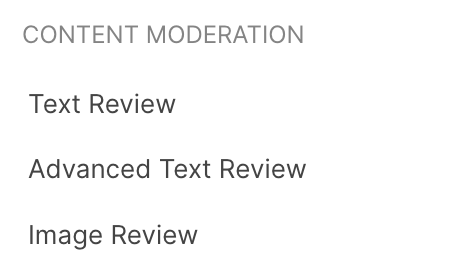
In order to manage custom lists, start by selecting the desired moderation service from the navigation menu:
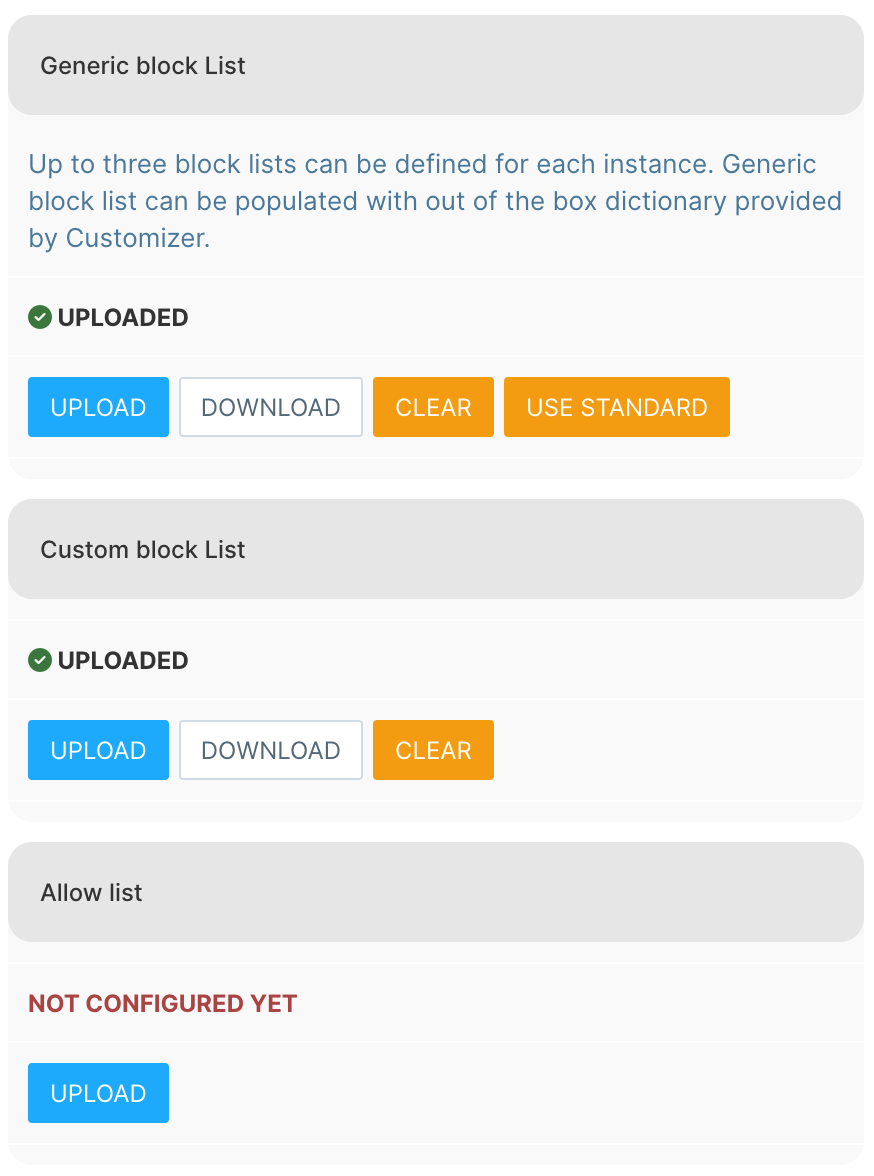
All services work in a similar fashion and allow uploading block and allow lists:
-
Upload a list
-
Download a list
-
Clear uploaded a list
For Standard moderation services, it is also possible to upload standard moderation using Use Standard action.
Adjusting the moderation threshold
For AI-based moderation services, it is possible to adjust the score thresholds that trigger respective moderation actions, such as rejection or flagging for moderation.
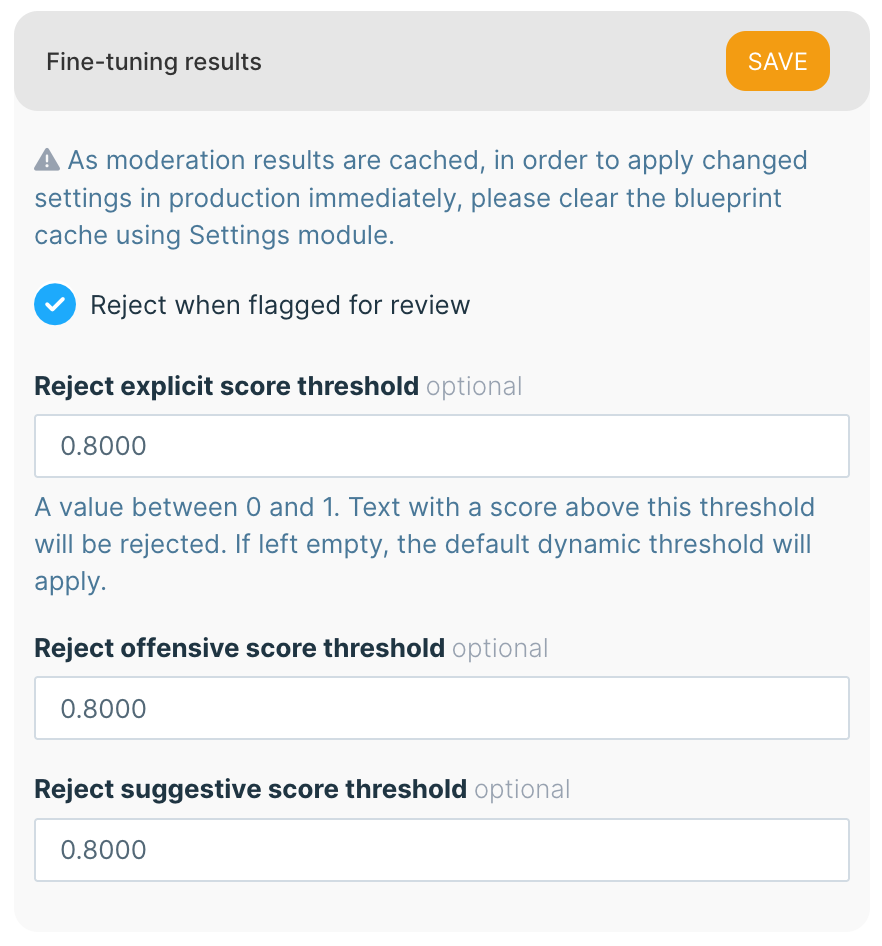
In order to adjust the moderation cut off points, navigate to the desired service settings, and adjust the respective setting.
-
A score threshold between 0 and 1 for explicit text or image detection (0 is the least explicit, 1 is the most explicit score)
-
Similar for offensive content
-
And suggestive content
By default, moderation services reject content that falls below the moderation threshold, but may flag for review additional content that scored lower. The Reject when flagged for review setting allows for treating such content as rejected as well.
Tracking moderation results
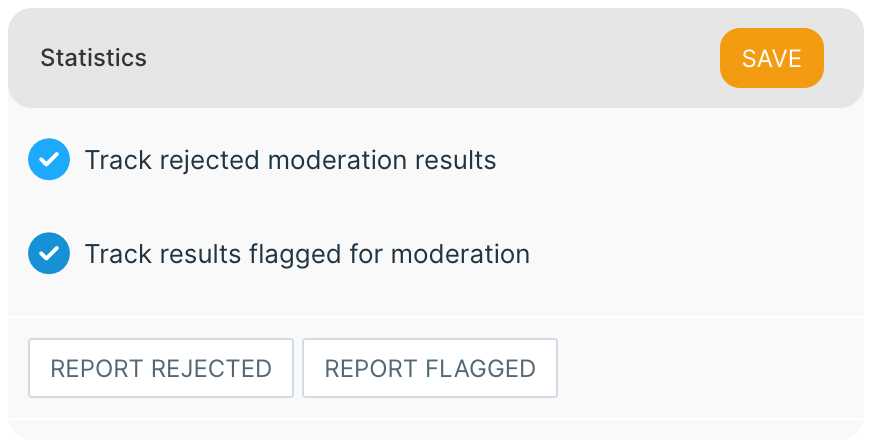
Moderation services allow tracking rejected or flagged content and generating reports that may help to fine-tune either block and allow lists, or moderation thresholds.
For privacy reasons, only the text content results can be reported on. Images are not stored not tracked after the moderation.
-
If desired, enable tracking of rejected and flagged moderation results.
-
When tracking is enabled, it is possible to generate reports for each moderation outcome category.