
Unlike Recipe Analytics, Action Analytics provides deeper insights into configurator performance. It enables tracking of conversions, understanding the user’s journey through the front-end experience, identifying drop-off points, and analyzing popular customizations that do not always lead to an add-to-cart action.
Due to the more detailed nature of this data and the larger number of data points collected, Action Analytics must be explicitly opted into and enabled by customers. The Customizer platform also allows customers to adjust and fine-tune the level of information collected automatically.
Privacy considerations
Action Analytics tracks the user’s journey through configurators, collecting more detailed data. However, the Customizer platform is designed to limit stored information and actively anonymize data to protect user privacy:
-
No Personally Identifiable Information (PII) Collected: The platform does not collect or store IP addresses, email addresses, physical addresses, social security numbers, or other PII.
-
Session-Based Tracking: User actions are assigned a unique, non-persistent session identifier. Each configurator load is treated as a separate session, and session IDs are not retained across visits or shared across devices.
-
PII Detection and Filtering: The analytics platform includes PII detection features that automatically discard events containing PII.
-
Data Minimization: The platform collects only the data necessary to deliver actionable insights, avoiding over-collection.
-
Anonymization Standards: All session data is anonymized and cannot be linked to specific individuals, ensuring compliance with GDPR’s pseudonymization requirements.
Customers should note that while the platform supports custom event data submissions, it is their responsibility to avoid including PII in such data. For customers requiring deeper integration, such as CRM enhancements, the Drive Commerce implementation team is available to assist with tailored solutions.
Regulatory Compliance
The Customizer platform does not collect or store any Personally Identifiable Information (PII) as part of its analytics features. All data is fully anonymized, and no information can be traced back to individual users.
As a result, the platform is not subject to obligations under GDPR or CCPA related to user rights (e.g., access, deletion) or opt-out mechanisms, as no personal data is processed or retained.
For customers who require additional privacy features or deeper integrations (e.g., CRM systems), the Drive Commerce implementation team can provide tailored solutions to ensure alignment with broader privacy practices.
Enabling action analytics
Action Analytics is disabled by default and can be enabled at the product level. This allows different products to have varying levels of analytics enabled: all events, selected events, or none at all.
To configure analytics event collection for a product:
-
Locate the desired product in the platform.
-
Navigate to the Analytics section.
-
Select the desired level of event tracking
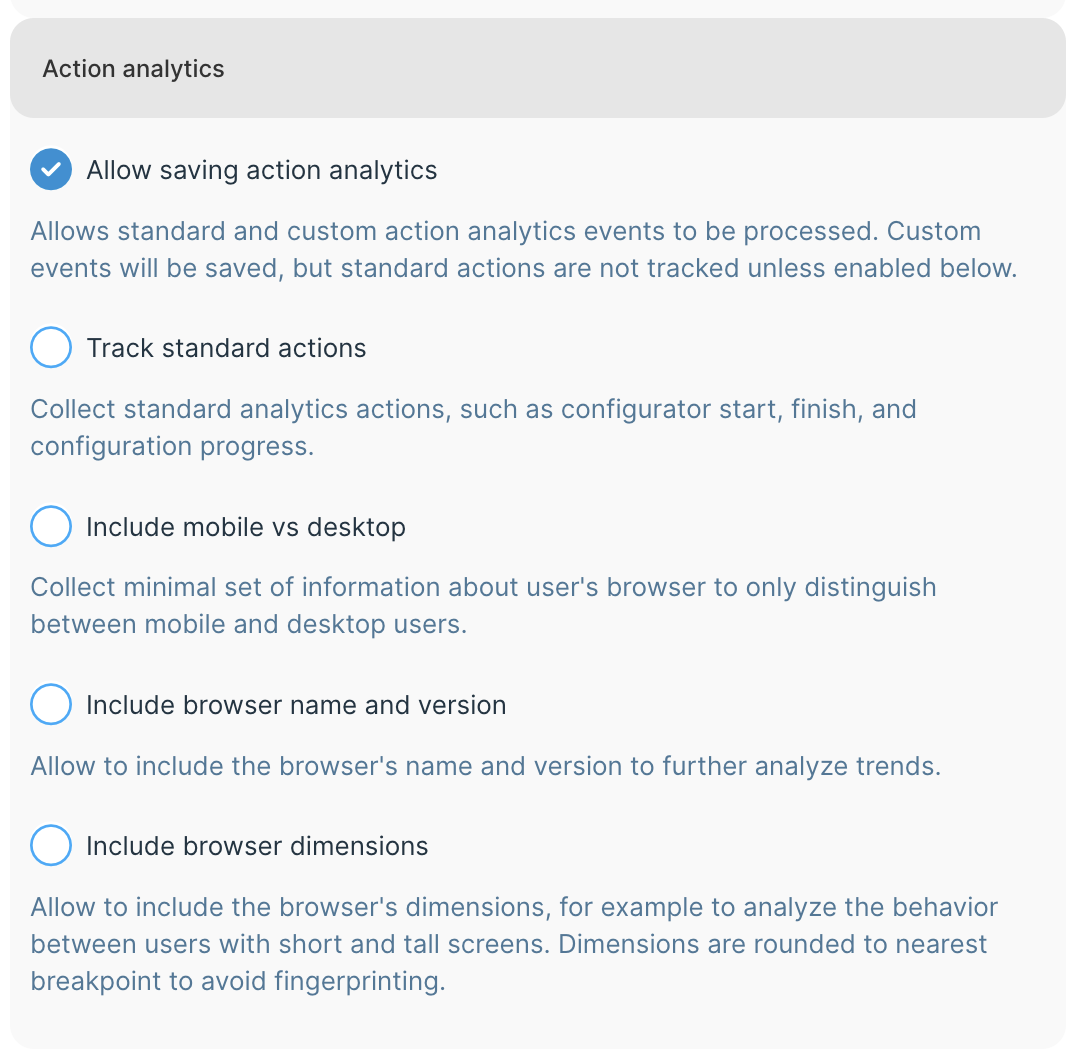
The settings allow for different levels of tracking:
|
Setting |
Definition |
|---|---|
|
Allow saving action analytics |
If disabled, no standard or custom analytics will be submitted to the platform, and all events will be discarded. However, the JavaScript endpoint interface events will be generated still, and customers may choose to submit events to a third-party analytics package instead. If enabled, event processing will be allowed. Custom events will be submitted and saved to the platform, while standard events handle will depend on other settings in this section. |
|
Track standard actions |
Enable collection of standard analytics events, which include:
Please see the Actions data points reference for more details |
|
Include mobile vs desktop |
If enabled, submitted analytics events will include a mobile vs desktop differentiator. |
|
Include browser name and version |
If enabled, browser family name, such as Chrome, Edge, Safari, and browser version will be included with analytics events. |
|
Include browser dimensions |
If enabled, analytics events will include information about user’s browser page dimensions. Dimensions are reduced to a specific set of breakpoints to avoid fingerprinting. |
Accessing action analytics
Action Analytics can be accessed through a link in the Sidebar panel:
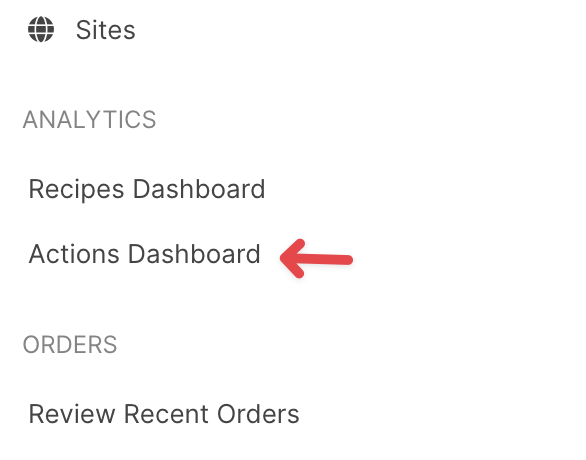
Key elements of the dashboard include:
-
New query prompt
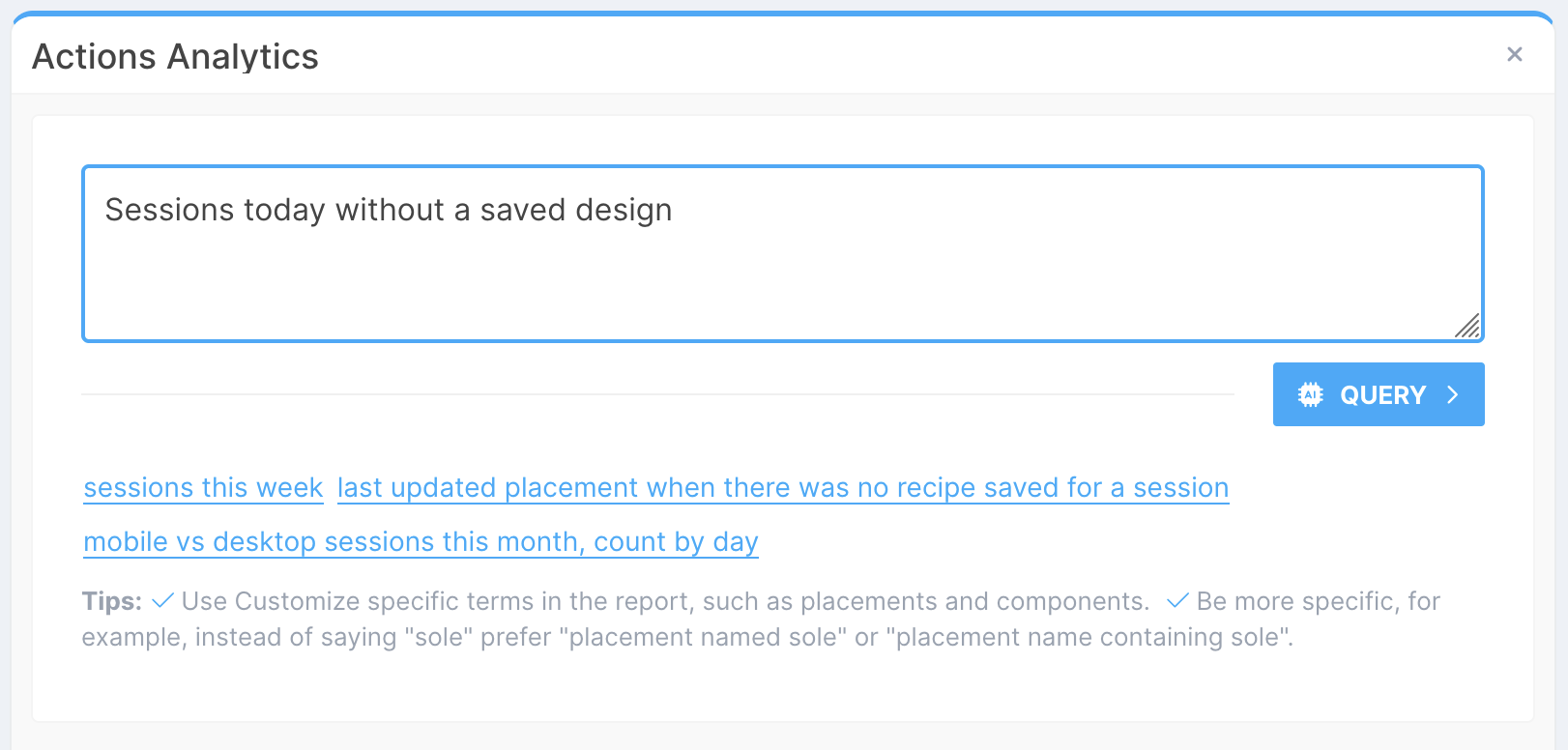
Querying action analytics
The natural language processing interface allows to easily ask the platform questions about recipes performance, for example:
-
number of sessions last week with a saved design
-
last updated placement for sessions what did not save a design, last month
When defining queries, use the Customizer-specific terms in the report, such as placements and components. Be more specific, for example, instead of saying "sole" prefer "placement named sole" or "placement name containing sole". Please refer to Actions data points for the list and meaning of available data points.
Time range
Most queries specify the applicable time range to look at. Please note that because of the analytics nature of this system, the general convention is not to include “today” in the report, unless specifically requested, as the data may be yet incomplete and may skew the results.
For example, if “today” is Monday, the “last 7 days” report would calculate the data for the previous week, previous Monday through Sunday.