Skip table of contents

Text flow direction

Image server support horizontal and vertical text layouts. Use v parameter of fnt to select the desired flow direction.

Vertical flow is different from simply rotating the text by 90 degrees.

For example, horizontal formatting:

https://fx.images.drivecommerce.com/api/v1/drive/image/?layer&src=BOX1000X500CF0F0F0FF&layer&fnt=f:NotoSans-Bold.ttf;s:40;a:c;va:c;&txt=Hello&size=1000,500

image-20241130-012715.png

Alternatively, specifying the v:1 parameter renders the text using the vertical flow:
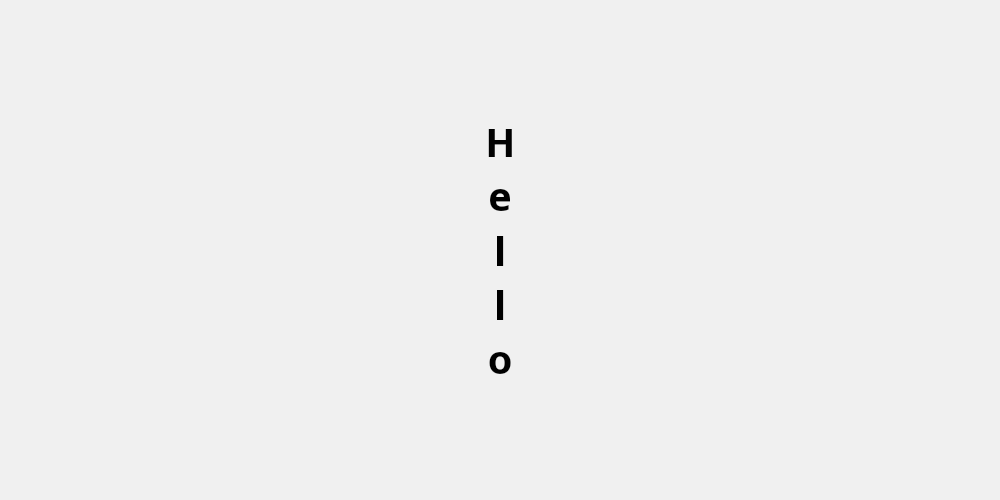
https://fx.images.drivecommerce.com/api/v1/drive/image/?layer&src=BOX1000X500CF0F0F0FF&layer&fnt=f:NotoSans-Bold.ttf;s:40;a:c;va:c;v:1&txt=Hello&size=1000,500

image-20241130-012649.png

JavaScript errors detected

Please note, these errors can depend on your browser setup.

If this problem persists, please contact our support.